Before / After Problems + Process Key Screens Learnings
02
PRJ::002 · Information Architecture + Feature Design

INFINITI

Type
Team Project
Product
Notes + Todo + Bookmarks
My Role
IA Architect + Feature Designer
Platform
Mac · Web · Mobile

A mega-app combining notes, todos, bookmarking, and knowledge management for 7 different types of users. In a team where everyone owned a slice, I was the one who figured out how all the slices fit together — the navigation architect, the systems thinker, and the designer of core features including search, folders, sidebars, settings, and quick commands.

Information Architecture Navigation Design Search Folder System Right Sidebar Quick Commands Settings Brand Identity 2× Landing Pages
Scroll
INFINITIINFORMATION ARCHITECTURENAVIGATIONSEARCH DESIGNFOLDER SYSTEMRIGHT SIDEBARQUICK COMMANDSBRAND IDENTITY INFINITIINFORMATION ARCHITECTURENAVIGATIONSEARCH DESIGNFOLDER SYSTEMRIGHT SIDEBARQUICK COMMANDSBRAND IDENTITY
// 01 — THE TRANSFORMATION

Before vs After

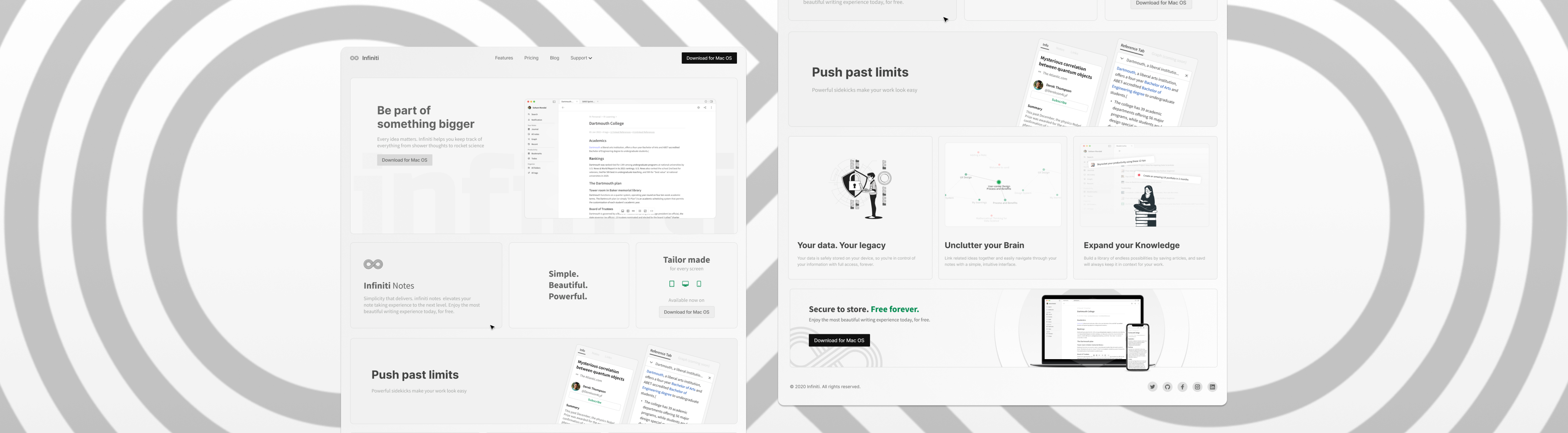
Two versions of the marketing site. The first was a proof of concept — clean but generic. The second had soul, hierarchy, and a clear product story.

Website V1 — First iteration
PROOF OF CONCEPT
Functional but flat. No clear narrative, features presented without hierarchy. Didn't tell the story of why Infiniti was different.
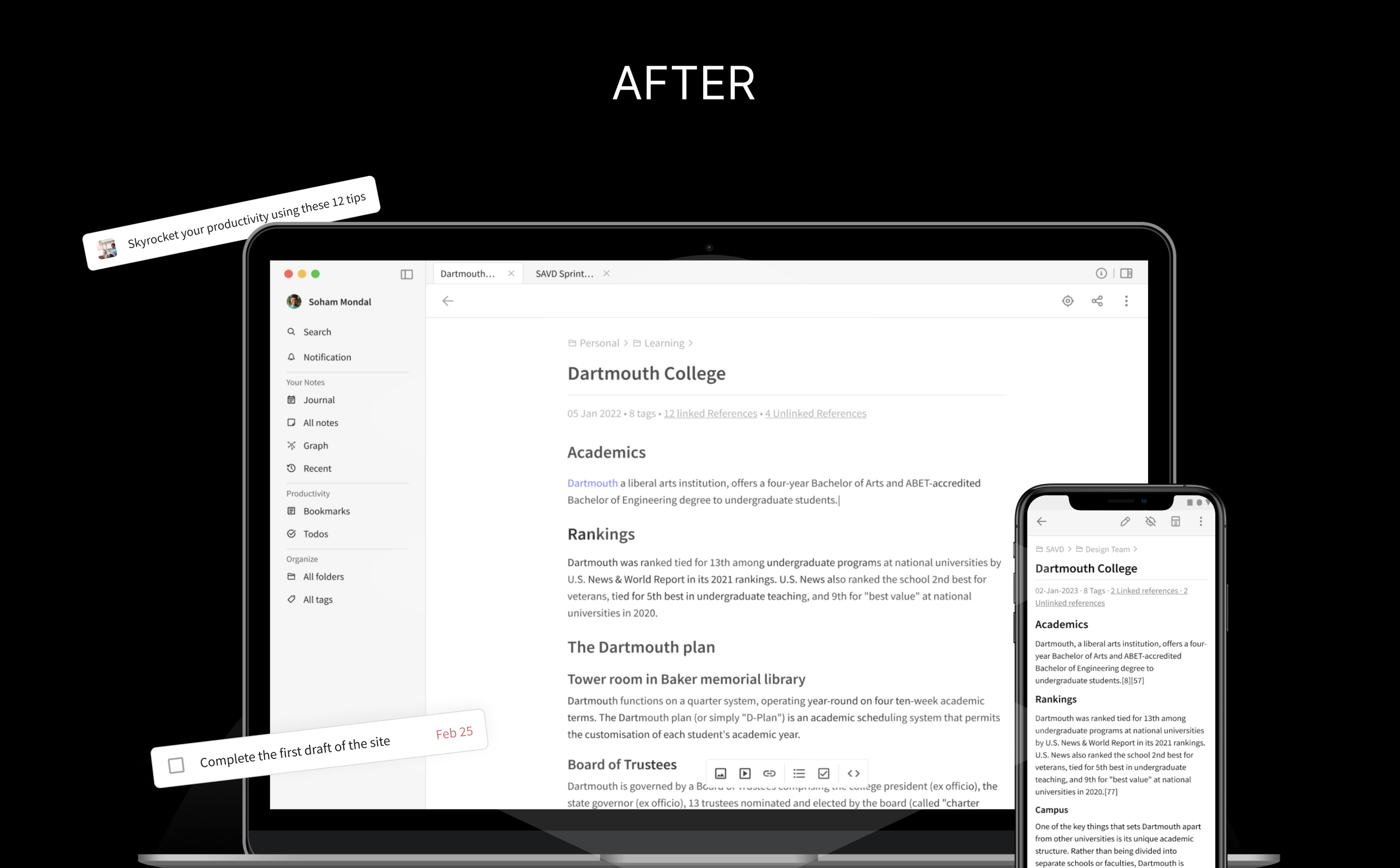
Website V2 — Full redesign
STORY-LED · CONVERTED
A product that sells itself. Clear headline, feature hierarchy, social proof, a CTA you can't miss. Every section earned its place.
// 02 — THE PROBLEM + PROCESS

What I found. How I worked.

A team of designers, each owning a feature. No one owning the whole. That was the real problem — and my actual job.

Problems identified
ISSUE::01
7 Users, Wildly Different Needs
A small business owner, an author, an academician, a blogger — all needing the same product to work completely differently. No single nav could satisfy everyone without a system underneath.
ISSUE::02
Features Without Architecture
The team had features. Nobody had mapped how they'd interact with each other — what happens when a user clicks from a search result into a folder into a note with a todo attached. The connections were missing.
ISSUE::03
Raw Research, No Signal
The research team delivered user stories. Good ones, but unfiltered. Some were genuinely insightful. Some were noise. Knowing the difference was the first job.
ISSUE::04
No Stress Testing
Features were designed in isolation. Nobody had simulated a real user — like Maya writing a novel with multiple branching endings — to see where the system broke.
How I worked
PHASE::01
Research Synthesis
Took 7 personas and their user stories. Filtered the noise. Identified the non-negotiables — quick organisation, fast retrieval, multi-device access, distraction-free writing.
PHASE::02
Competitor Archaeology
Studied Notion, Evernote, Roam, Bear, Simplenote. Didn't just look at what they did — worked backwards to understand why. Every nav pattern has a reason.
PHASE::03
System Modelling
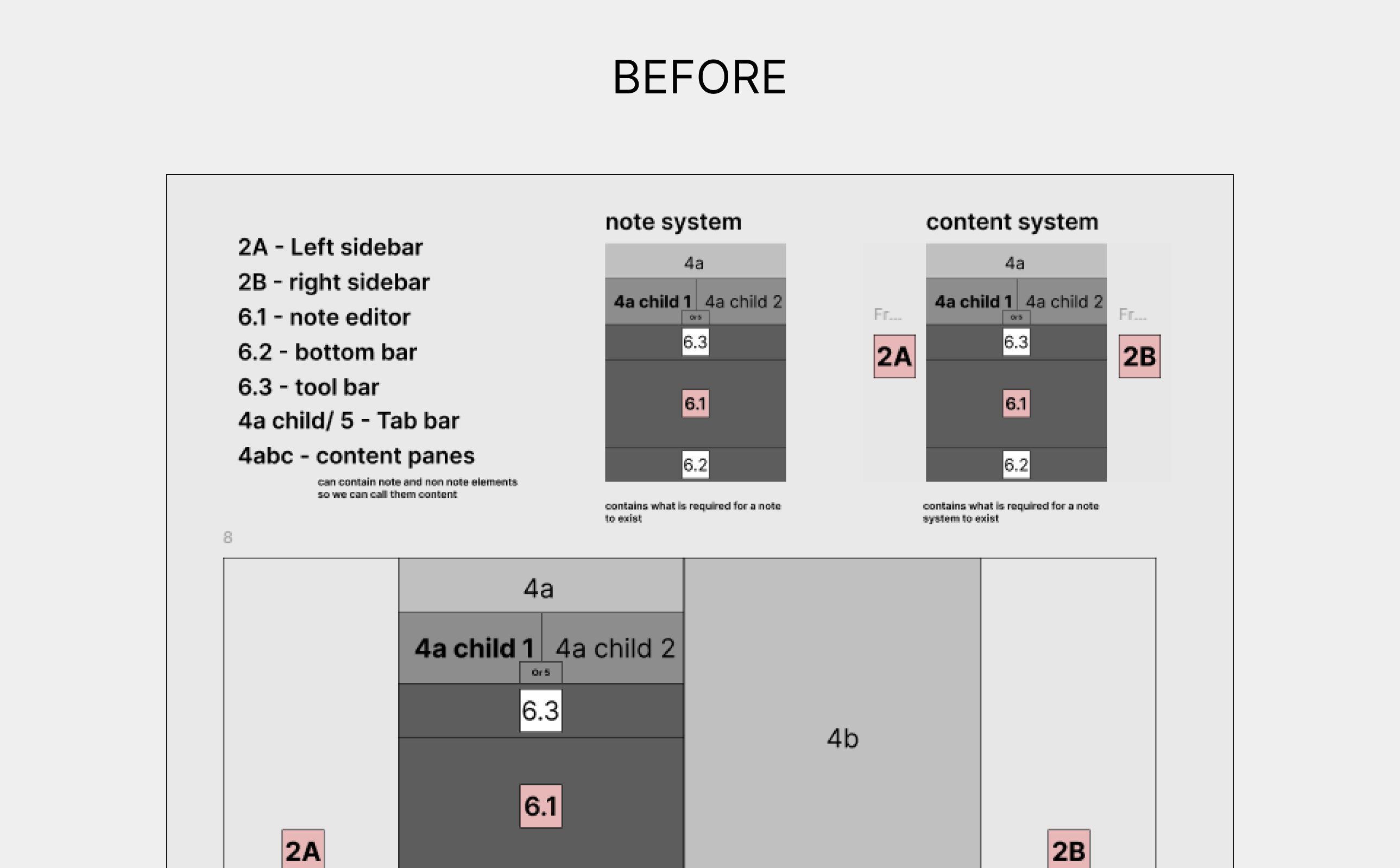
Mapped how information layers interact. Left nav × right pane × tiling × panels. Drew the logic before drawing the UI. Colour-coded layout explorations across 12+ workspace states.
PHASE::04
Scenario Stress Testing
Built "For Maya" — a full simulation of a fiction writer's workflow with branching endings. If the system held for Maya, it held for everyone.
PHASE::05
Feature Design
Once the architecture was solid, designed solo features: search, folders, right sidebar (info + references), quick commands, settings. Each one tested against the architecture first.
// 03 — THE WORK

Key Screens

Two streams of work — the invisible architecture that makes navigation feel effortless, and the features that make knowledge work powerful.

FEAT::01
Left Navigation
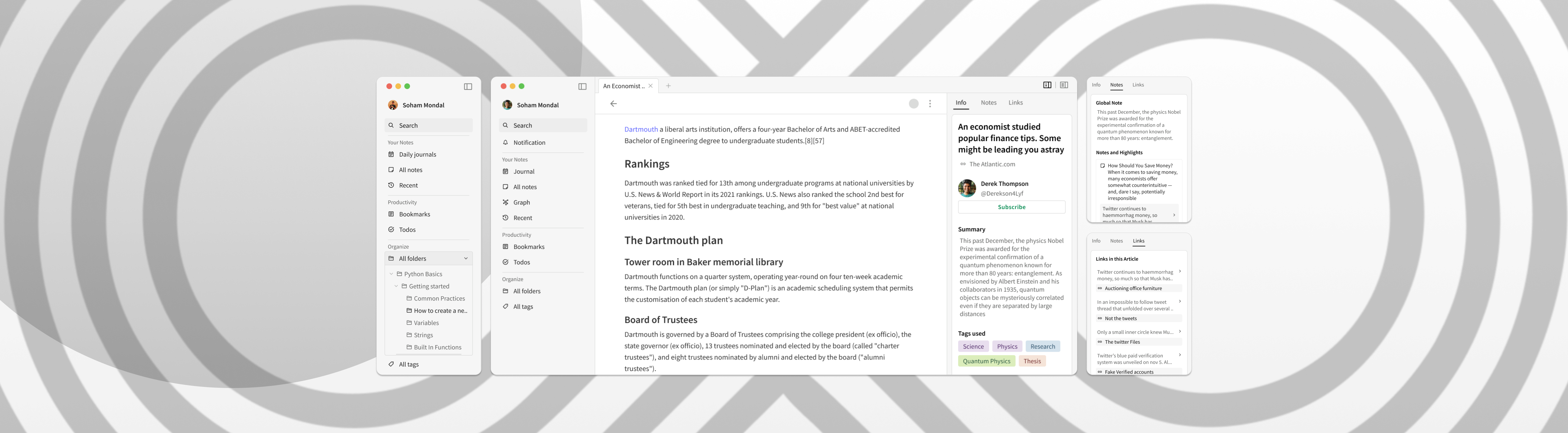
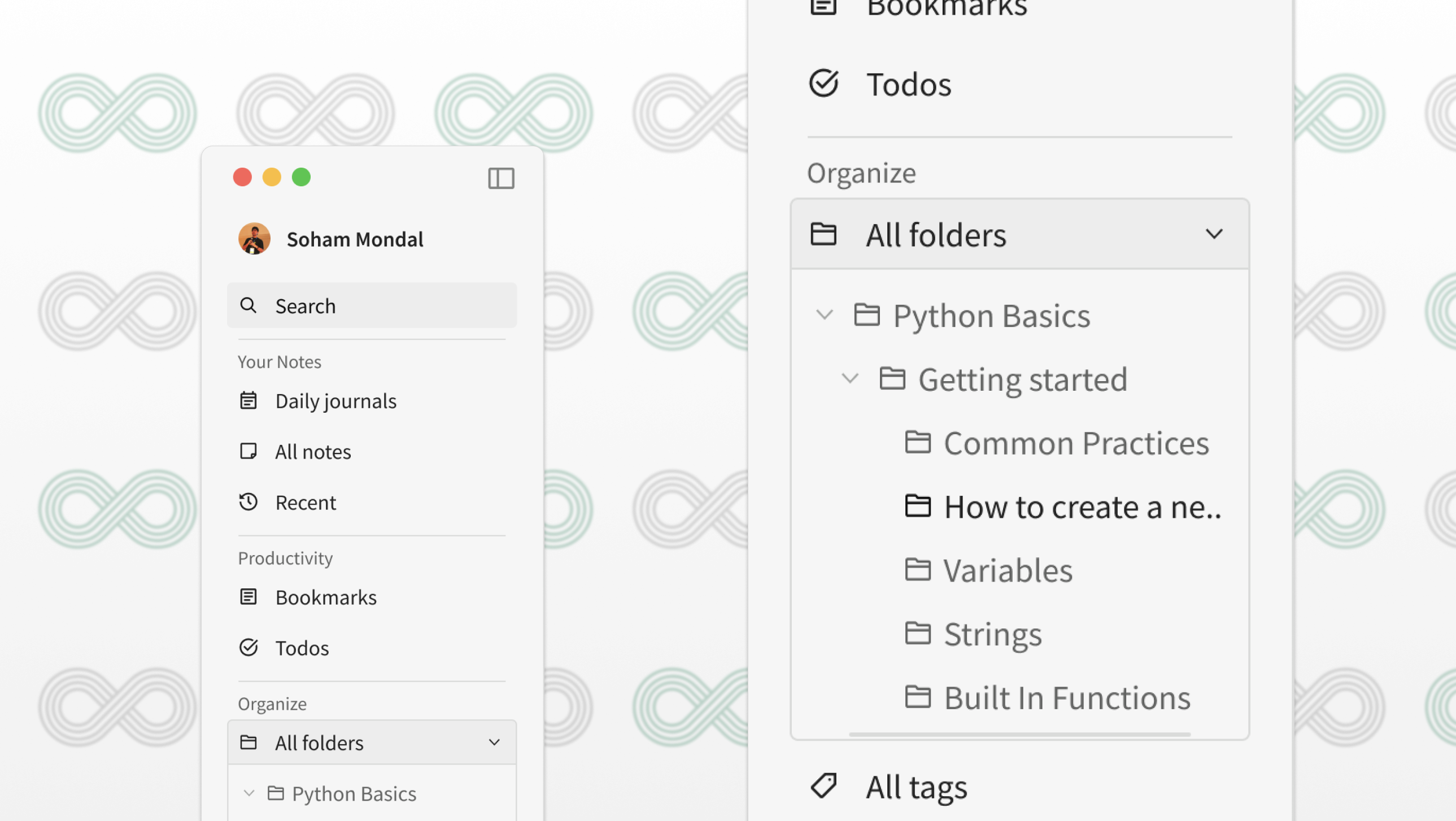
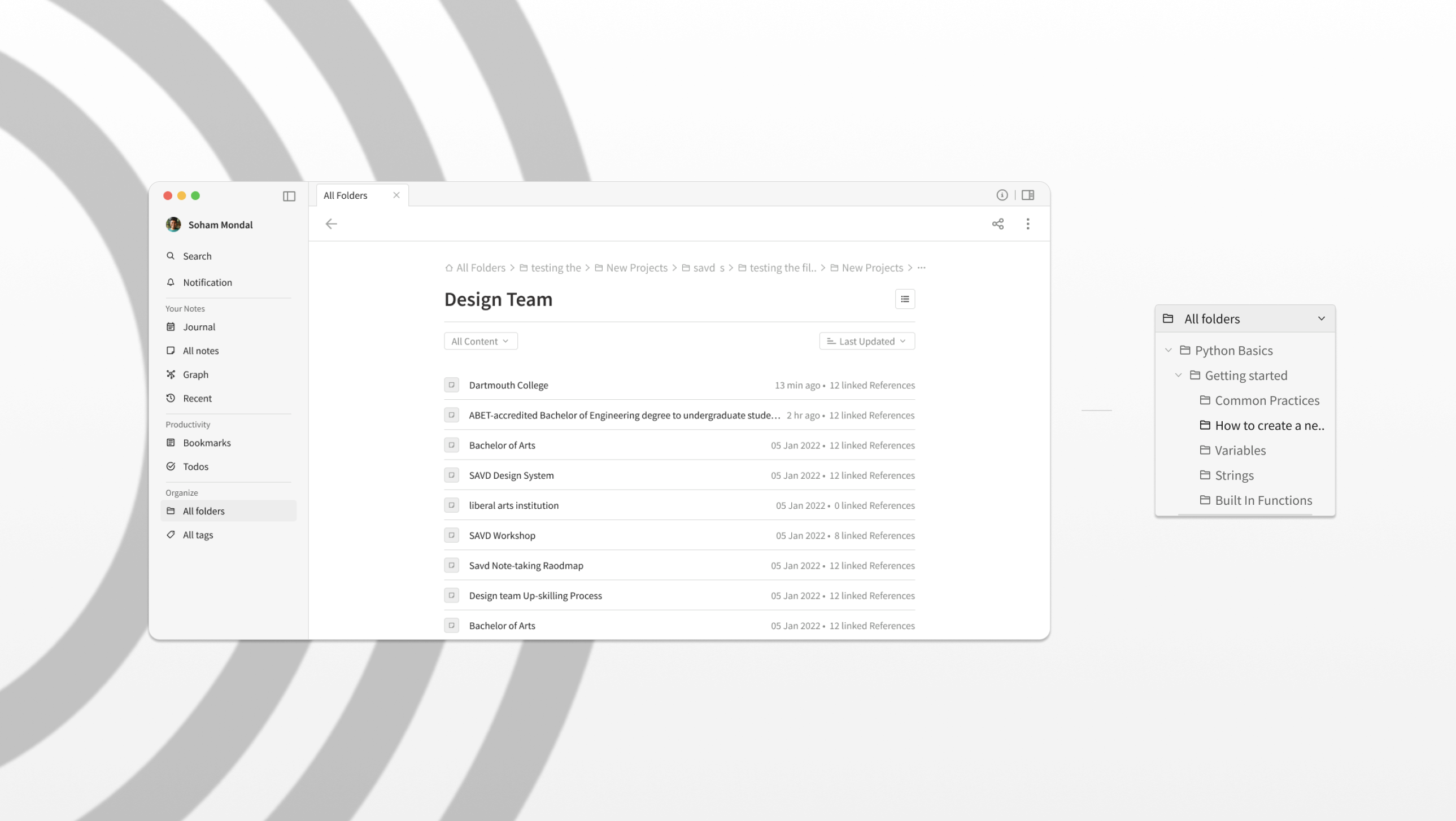
Grouped into Your Notes, Productivity, and Organise. Collapsible, searchable, keyboard-navigable. Folder hierarchy with unlimited nesting. Every decision tied back to a persona need.
FEAT::02
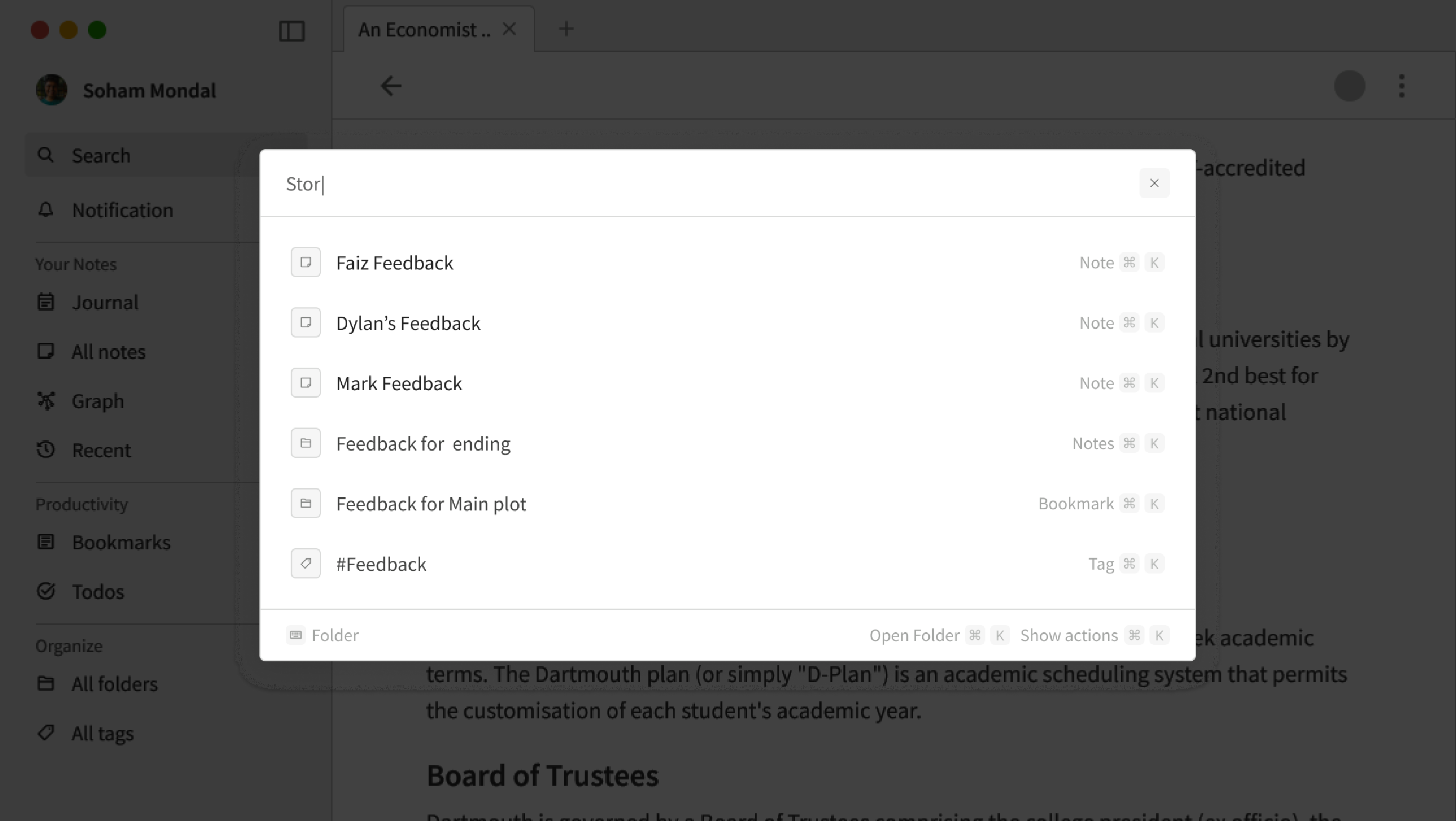
Search
Designed from scratch. Stress-tested with complex real-world scenarios — searching across notes, bookmarks, folders, tags simultaneously. Command-palette style with keyboard shortcuts.
FEAT::03
Right Sidebar
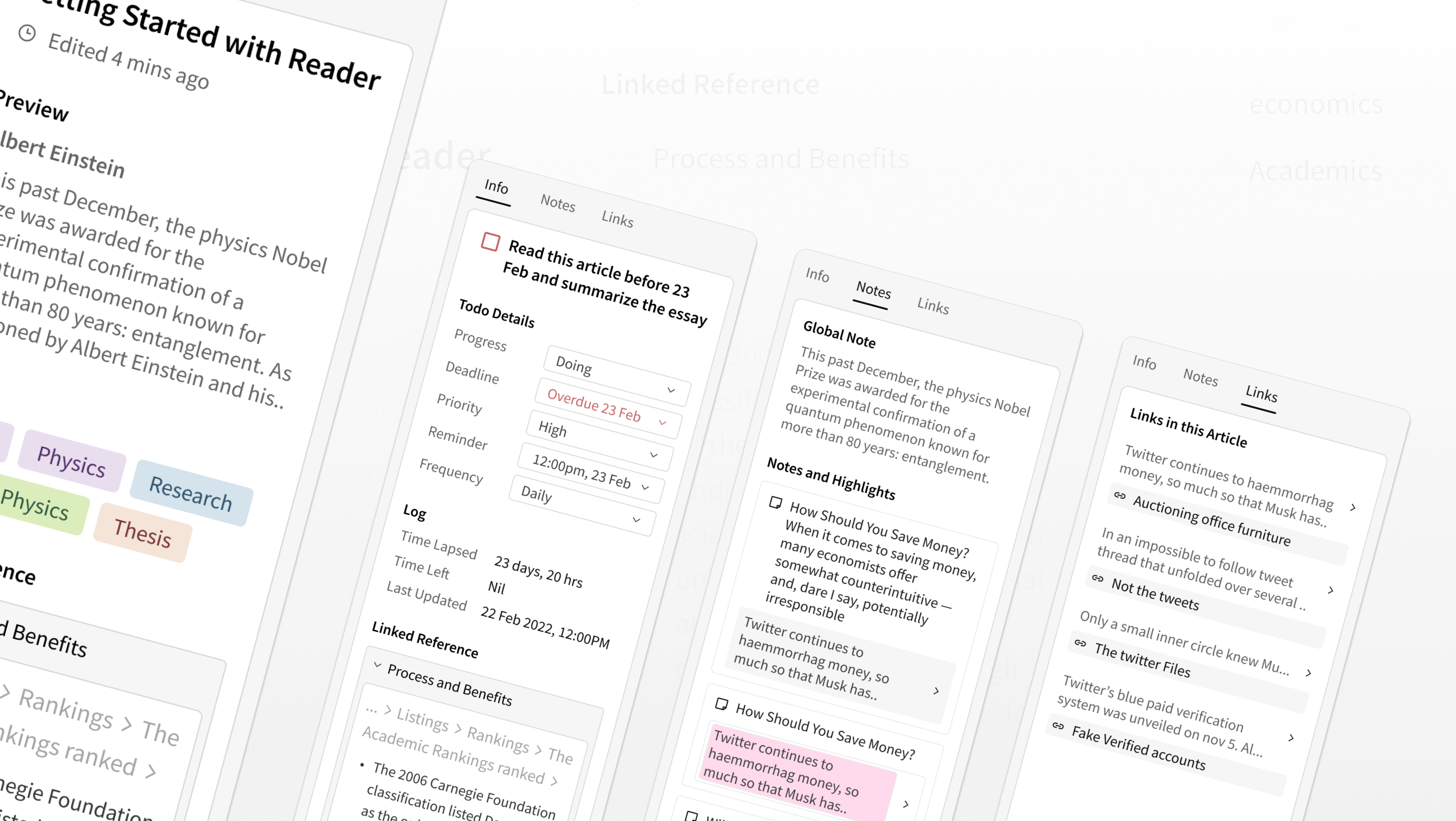
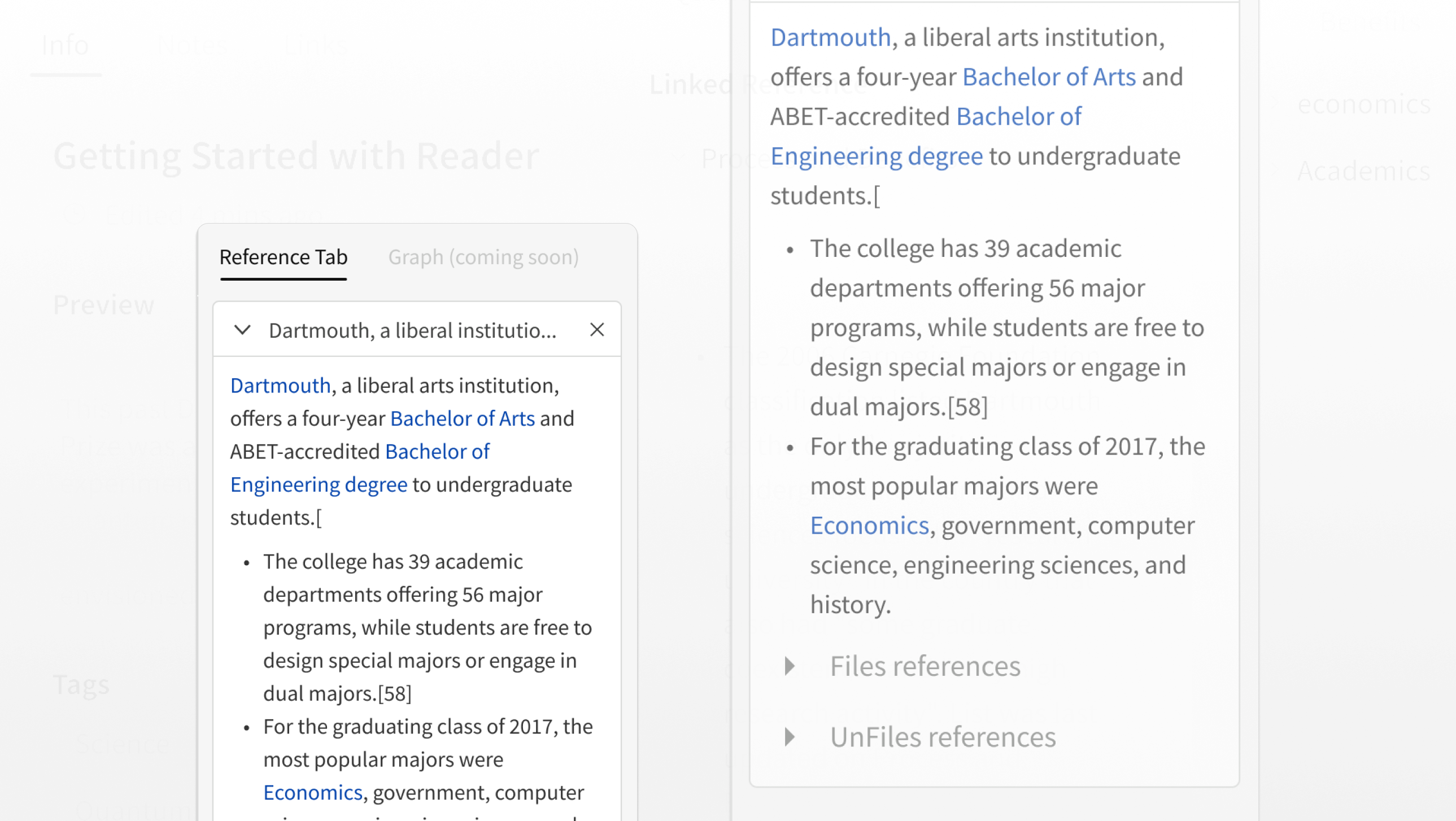
Two modes: Information (metadata, tags, summary for the active bookmark/note/todo) and Reference (backlinks, filed and unfiled connections). Multitask without losing context.
FEAT::04
Folder System
All Folders page with date and content filtering, alphabetical sort. Folder in left nav with expandable hierarchy — Python Basics → Getting Started → Variables, Strings, Functions.
FEAT::05
Quick Commands
Universal command palette. Search across everything — notes, bookmarks, tags, folders — with keyboard shortcuts for every action. For power users who never want to touch the mouse.
FEAT::06
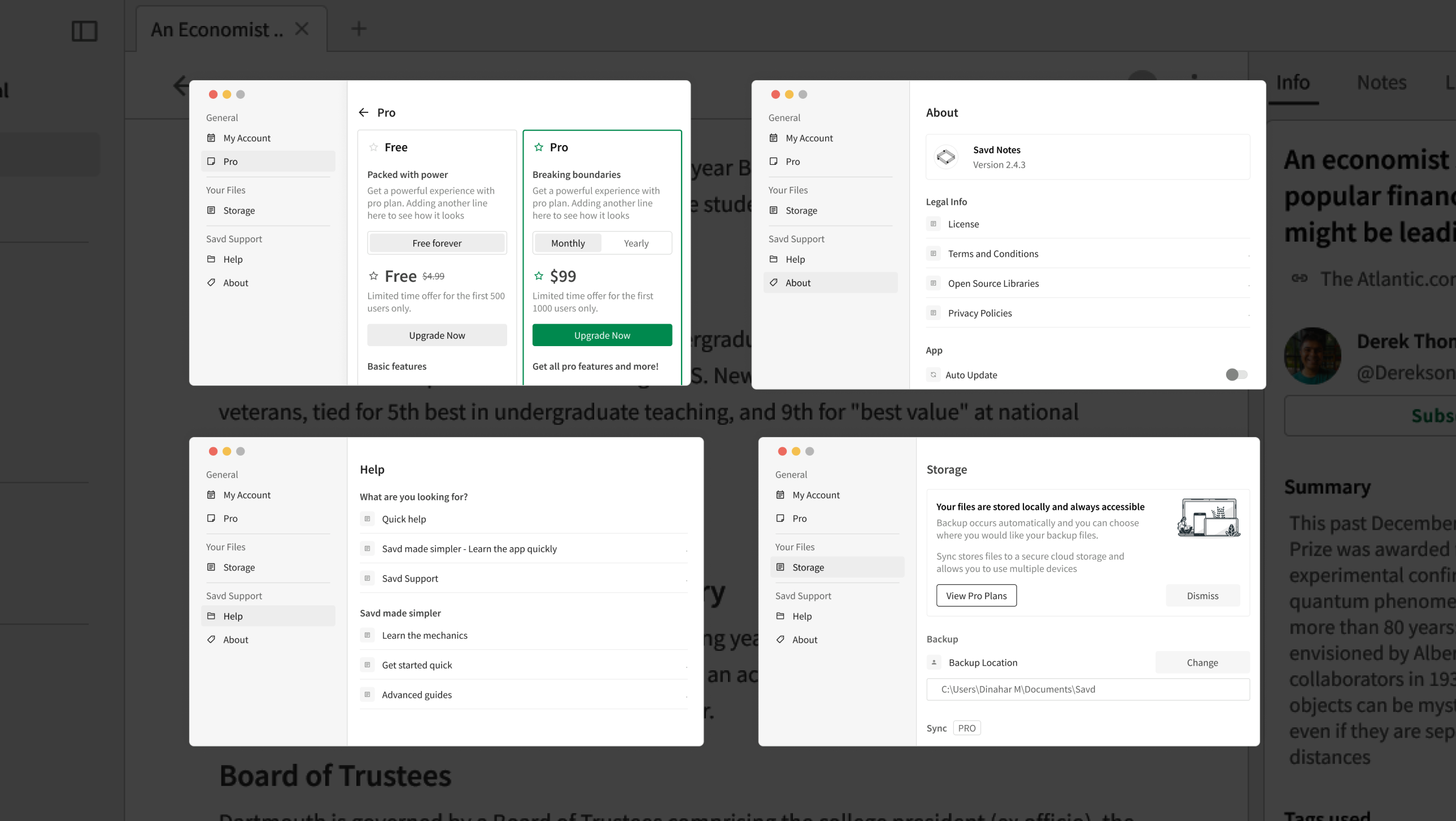
Settings
My Account, Pro/pricing, Storage, Help, About. Clean two-panel layout. Storage shows local-first philosophy clearly. Pro upsell designed without being pushy.
FULL LAYOUT
Three-Panel App Layout — Left Nav · Editor · Right Sidebar
NAVIGATION
Left Nav — Folder Hierarchy
SEARCH
Quick Search — Command Palette
RIGHT SIDEBAR
Information Tab — Metadata + Tags
RIGHT SIDEBAR
Reference Tab — Backlinks
FOLDERS
All Folders Page — Filter + Sort
SETTINGS
My Account + Pro + Storage
MARKETING
Website V2 — Landing Page
// 04 — WHAT I TOOK AWAY

Learnings

How this project made me a man, from the mere boy I was.

Architecture Is Invisible — Until It Isn't
Good navigation is something users never notice. Bad navigation is the only thing they notice. The measure of this work ensured that naturally people moved through the product without thinking about it.
Stress Testing Saves Everyone
The "For Maya" simulation, and many more, found problems that usability testing would have found — but before anything was built. Simulating a complex, edge-case user before you start designing is worth 10 revisions after.
Not All Research Is Equal
Seven personas, hundreds of user needs. Half of them were noise. Knowing which insights to build on and which to deprioritise is a design skill as important as any visual one. Research without synthesis is just data.
key takeaways
As someone who had just 1 year of experience, this project helped me understand what it means to prioritise journeys, and how to ensure that the feauteres stay discoverable and helpful. In my opinion, this is what I feel makes me a thinker who designs not the other way around.
Back to All Work
// NEXT PROJECT
[ Project Three ]